


Video&Drama Player All Format
3.2231.00 Reviews
App Specs
- Version
- 1.1.14
- Updated On
- License
- Free
- Downloads
- 5,000,000+
- Developer
- Griffin Atlas USA
- Categories
- Video Players & Editors
- Platform
- Android
Screenshots
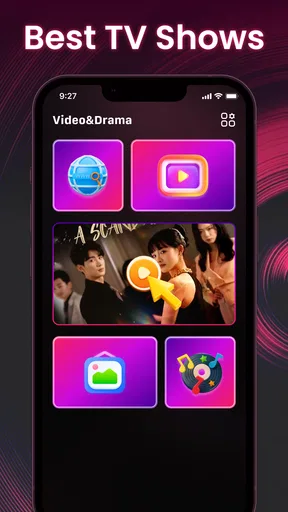

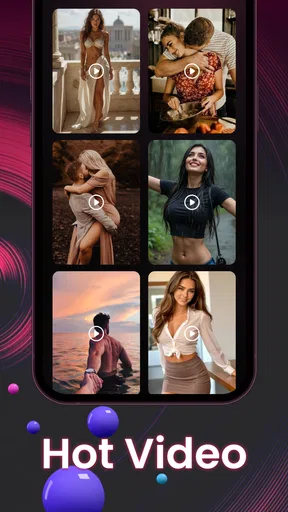
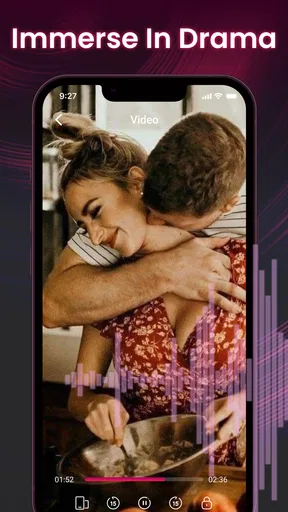
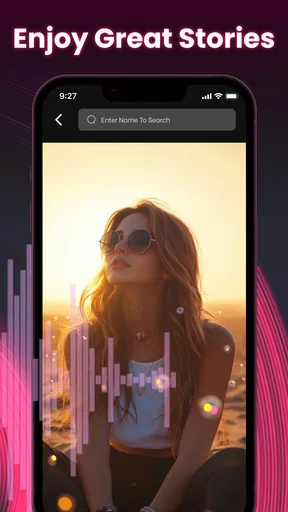
 Analysis by AppCompare
When a video refuses to open, it is tempting to blame the file immediately—or to assume a new player will fix everything. I’d approach Video&Drama Player All Format more practically: it is a free video and music player from Griffin Atlas USA, aimed at people who want one place to watch different kinds of media. I’d try it first with files I already have on my device, then check whether its controls and playback suit my routine before making it my default.
Where playback can get stuck
“All format” is a useful promise, but it does not mean every file will behave identically on every phone. A file may fail because of its encoding, an incomplete copy, or a problem with the device itself. If something will not play, I’d test another known-good video before concluding that the app is at fault. That simple comparison helps separate a one-file issue from a broader playback problem.
Subtitles deserve their own quick check. The published review describes controls for changing their size, color, and position, which can help when text is hard to read or overlaps the picture. If subtitles do not appear as expected, I’d first check whether the file includes them and whether the right subtitle track is selected, rather than repeatedly changing display settings.
Setup checks that save time
The app is listed for Android devices running version 7.0 or later, and it is rated for Everyone. It has a 3.3 average from around 1.8 thousand ratings, with 124 written reviews, so I would treat it as an option to try rather than an automatic replacement for a player that already works well. It has passed five million installs, and its current version is 1.1.7. Those figures give a sense of its reach, but they do not guarantee that playback will be smooth on every device.
Before relying on it for a trip, I’d open a few files while connected to the internet and check the basics: the picture appears, the sound is audible, and subtitles are legible if needed. The store summary describes an HD video player and music player, so it can make sense for someone who wants both kinds of local media in one app. Still, I would not assume that every streaming service or online video source is supported just because the app has a video focus.
Recovering your viewing routine
If playback stutters, I’d close other demanding apps, reopen the player, and try a different file. If only one video has trouble, checking whether it copied completely is a sensible next step. For an offline plan, I’d also test the download workflow in advance and confirm that the saved video actually opens without a connection; discovering a problem after leaving home is much less convenient.
The equalizer can be useful when dialogue sounds weak through headphones, but I’d make small adjustments and compare the result with the original sound. A stronger setting is not automatically clearer, and a change that helps one recording may make another sound harsh. That makes the control most helpful as a modest correction, not a substitute for good headphones or a clean source file.
Worth Reading Before You Choose

Flipboard Shows What News Apps Must Do Beyond the Feed

Switching to Android Auto Means Rethinking Your Driving Routine

Google Calendar Makes a Crowded Week Easier to Manage

Ludo King Makes the Most of the Minutes Between Plans

Baby Panda World Brings Quick Play to Modern Phones, but Its Game Library Feels Busy

ESPN’s Live Game View Makes Following Close Games Easier
All-in-One Video Experience
The first thing that struck me about Video&Drama Player All Format is how it truly lives up to its name. This app supports a wide range of video formats, so you won’t have to worry about converting files before watching. From MP4 to AVI, and everything in between, it’s got you covered.
But it’s not just about playing videos. The app also offers a seamless streaming experience. Whether you’re binging on the latest dramas or catching up on viral videos, the streaming quality is top-notch. The interface is clean and intuitive, making it easy to navigate even for a tech novice.
Features That Stand Out
One feature I absolutely love is the customizable subtitles. You can adjust the font size, color, and even the position of the subtitles on the screen. This may sound minor, but for someone who watches a lot of foreign films, it’s a game-changer!
Another neat feature is the built-in equalizer. It lets you tweak the audio settings to match your personal preference. Whether you’re using headphones or blasting through speakers, you can fine-tune the sound to perfection.
User-Friendly and Efficient
The app is surprisingly lightweight, which means it won’t eat up your phone’s memory. It loads videos quickly and offers smooth playback without any annoying buffering. Plus, the battery consumption is minimal, so you can watch longer without worrying about your battery life.
And let’s not forget the download feature. You can download your favorite videos to watch offline, which is perfect for those long flights or when you’re in an area with spotty internet access.
Choosing it for the right job
For a realistic everyday use, I can see it working as a simple stop between errands: I save a video while I have a connection, check that it opens, then watch during a commute where the signal tends to drop. I would not leave that check until boarding a plane. A file that plays before travel is a more dependable offline companion than one you have never tested.
Compared with the basic player already on a phone, this app’s appeal is the combination of video, music, subtitle adjustments, and an equalizer. That can reduce app-hopping if those controls matter to you. On the other hand, someone who only watches occasional clips may be better served by the built-in player, while a viewer who depends on a familiar library or advanced playback controls should compare those specific needs before switching.
When the app may not be the cause
Online playback can be affected by a weak connection, while local playback depends on the file being accessible and intact. If a video pauses online but a saved file plays normally, the connection is a more likely place to investigate. If several local files fail, I’d restart the app and device and make sure the files are still available in their original location. These checks are more useful than changing subtitle or audio settings when the picture itself will not start.
For music, I’d treat the equalizer as a listening preference rather than a repair tool: it can reshape sound, but it cannot restore detail missing from a poor recording. Likewise, subtitles improve access and comfort only when a usable subtitle track is present. Knowing those limits keeps expectations grounded and makes the app’s tools easier to judge.
A practical recommendation
Video&Drama Player All Format is most appealing to Android users who watch a mix of personal videos and music, want subtitle adjustments, and would rather test a single flexible player than convert files first. Its release date is February 26, 2025, and the app is free, so trying it alongside an existing player is a low-commitment way to see whether it fits. I’d keep both available until I had tested the formats and workflows I actually use.
I would skip it as a first choice if a device’s built-in player already handles my library reliably, or if I need a specific streaming service or specialist playback option. My verdict is positive but measured: the mix of playback and adjustment tools is useful, yet the modest average rating is a reason to test it with your own files instead of assuming every feature will suit your setup. If it behaves well on the videos you care about, it can be a convenient everyday player; if not, returning to a familiar alternative is a perfectly sensible call.
Features That Stand Out
One feature I absolutely love is the customizable subtitles. You can adjust the font size, color, and even the position of the subtitles on the screen. This may sound minor, but for someone who watches a lot of foreign films, it’s a game-changer!
Another neat feature is the built-in equalizer. It lets you tweak the audio settings to match your personal preference. Whether you’re using headphones or blasting through speakers, you can fine-tune the sound to perfection.
User-Friendly and Efficient
The app is surprisingly lightweight, which means it won’t eat up your phone’s memory. It loads videos quickly and offers smooth playback without any annoying buffering. Plus, the battery consumption is minimal, so you can watch longer without worrying about your battery life.
And let’s not forget the download feature. You can download your favorite videos to watch offline, which is perfect for those long flights or when you’re in an area with spotty internet access.
Final Thoughts
In conclusion, if you’re on the hunt for a video player that does it all, give Video&Drama Player All Format a shot. It’s versatile, user-friendly, and packed with features that enhance your viewing experience. Whether you’re a casual viewer or a serious binge-watcher, this app has something for everyone.
So, if you’re ready to upgrade your video watching game, you know what to do. Happy watching!
Pros
- Supports all video formats seamlessly.
- User-friendly interface with easy navigation.
- High-quality video playback options.
- Offline playback for downloaded content.
- Customizable subtitle options and themes.
Cons
- Advertisements can be intrusive.
- Limited free features without subscription.
- Occasional buffering on high-res videos.
- No support for live streaming content.
- Requires frequent updates for bug fixes.
FAQs for Video&Drama Player All Format
What formats does Video&Drama Player All Format support?
Video&Drama Player All Format is designed to handle a wide range of video formats, including MP4, AVI, MKV, MOV, and more. This versatility ensures that you can watch virtually any video without needing to convert files, making it highly convenient for users with diverse media libraries.
Is Video&Drama Player All Format free to use?
The app offers a free version with essential features, but there may be in-app purchases or ads. These might unlock additional functionalities or remove advertising. It's advisable to check the app's description on the store for any costs associated with premium features.
Does Video&Drama Player All Format support subtitles?
Yes, the app supports a variety of subtitle formats, allowing users to load subtitle files in SRT, SSA, or ASS formats. This feature is particularly beneficial for those who enjoy watching international films or shows with subtitles, enhancing the viewing experience.
Can I stream videos from cloud services using Video&Drama Player All Format?
The app allows streaming from various cloud storage services, making it easy to access your media files without having to download them to your device first. This feature is great for users who have limited storage but still want to enjoy their media library.
Is Video&Drama Player All Format user-friendly for beginners?
Yes, the app is designed with a straightforward, intuitive interface that caters to both new and experienced users. Its easy navigation ensures that even those unfamiliar with media players will find it simple to browse files, adjust settings, and enjoy their video content seamlessly.


